

01 · Before you fly
Know if you can go.
The rule for your passport, in plain words, with the official site one tap away.

Visa rules · Arrival forms · Landing help
Know if you can get in, before you fly.
No more guessing at visa rules or last-minute hunts for the right arrival form. TripEase shows what your passport needs, links every official form with its deadline, and walks you through your first hour on the ground. Flying, crossing a land border or taking a ferry: TripEase helps with all three, and Land & Sea is free in the main app.
Be first to land: one email on launch day, nothing else. Sign-up opens soon.
How it works
No tabs to juggle, no forums at midnight. Just the next step, right when you need it, so you can enjoy the trip.
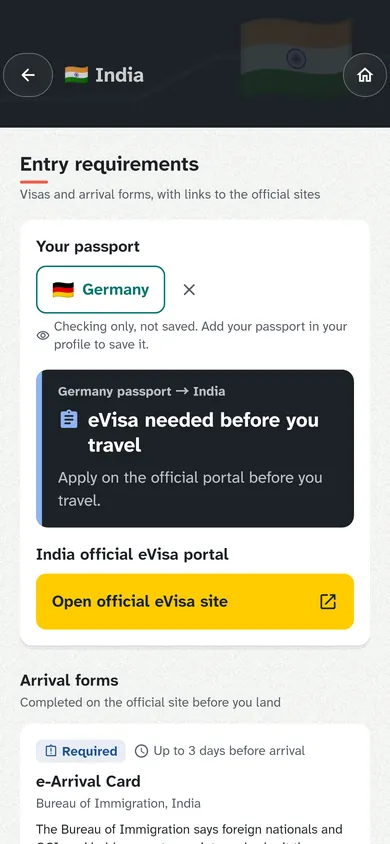
The rule for your passport, in plain words, with the official site one tap away.

Terminal maps, your trip and your documents, even without signal.

Data, money, a ride into town, and the words you'll need on the way.
250countries & territories177airports with official terminal maps0accounts needed
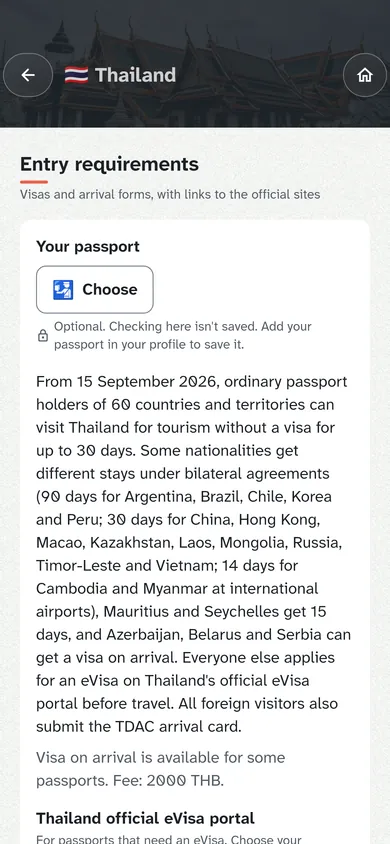
Pick your destination and see the rule for your passport: visa-free, eVisa, travel authorisation or visa required. Then go straight to the official site.
The form helper lines up your details in the order the official form asks for them, with copy buttons. You submit on the official site yourself.
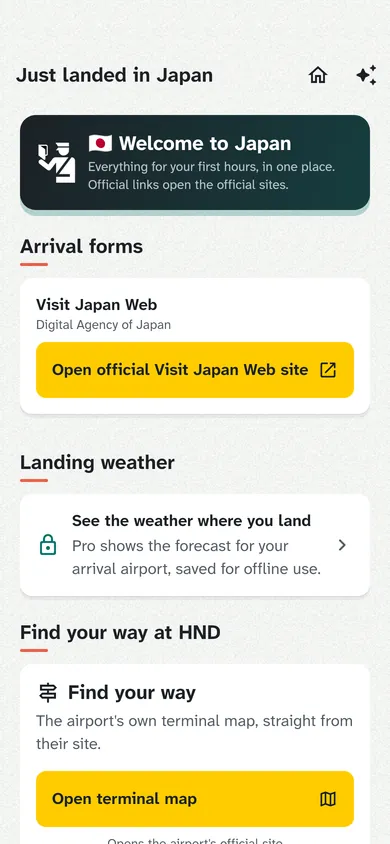
Everything for your first hour: getting data, getting money, getting into town, and the phrases you need to do it.
See the ease
One tap from "Can I go?" to the official site. Your airport, mapped. Your details lined up and ready to copy, so the form takes minutes, not an evening. You always submit on the official site yourself.
Two ways to arrive
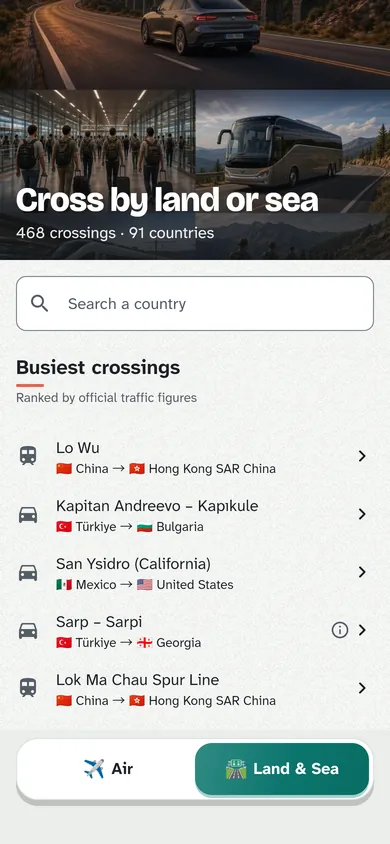
Pick how you're getting there and TripEase sorts the border: the same calm steps and the same official links, whichever way you arrive.

Airports and every arrival form. Entry rules for your passport, official links with their deadlines, terminal maps and your first hour on the ground.

Borders, bridges and ferry ports: opening hours where officials publish them, cautions, and links to the official entry and customs pages.
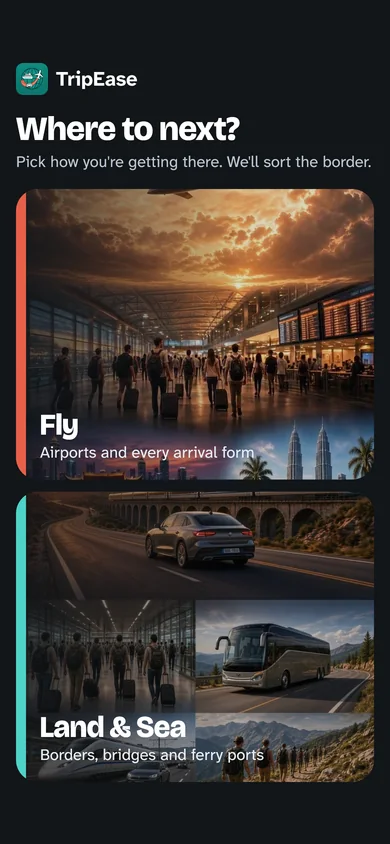
Illustrations created with AI (Created with Grok Imagine). App screenshots on this page show AI-generated illustrations too.
The new look
Charcoal name plates, big clear type and colour that never works alone. Every result says it in words as well as colour, in light or dark.
foreign arrivals in Thailand registered through a fake arrival-card website, some paying for a form that's free.
Press report: Thailand's Immigration Bureau, as reported by Bangkok Post and Khaosod English, 29 March 2026. No official bulletin with this figure was found online.
Official links only
Search "Thailand arrival card" and lookalike sites can show up first, charging for a form that's free. TripEase only ever opens the real government site, and tells you when the form opens and what's free.
Private by design
A travel app shouldn't need your identity on a server. No accounts, no server copy of your details. Nothing to leak, nothing to worry about.
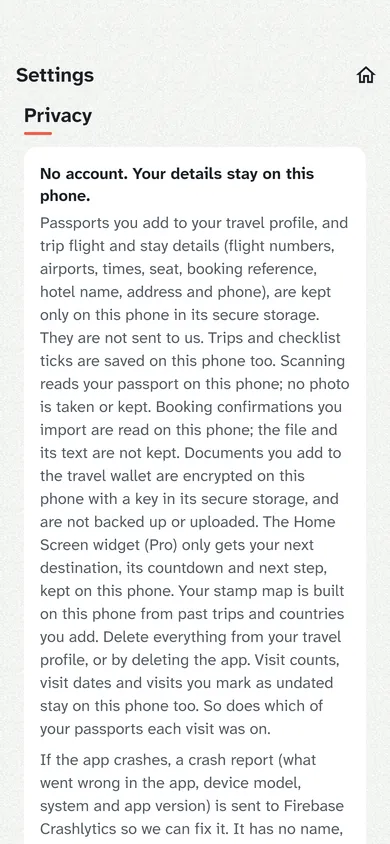
Your passport is read on the phone. No photo is taken or kept.
Your trip details and documents stay on your phone, ready without signal.
No sign-up, no profile on a server. Delete the app and it's gone.
Visa and form links always go to government sites. Partner links are always labelled.
Try it
Pick a passport and a destination to see what TripEase would show you.
A sample from the app's data, checked October 2026. Rules change: always confirm on the official site.
Stay up to 90 days as a visitor.
For dual nationals
Add every passport you hold and TripEase shows the easiest way in for each country. Built for dual nationals and families travelling on different passports.
| Destination | Best passport |
|---|---|
| United Kingdom | Passport A ETA |
| Japan | Passport A Visa-free |
| Thailand | Either Visa-free |
Popular arrivals
Open a free arrival guide: official links, the way into town, eSIM and money.




Travel basics
Pictures of all 14 plug types, with the voltage for your destination.
Short notes from official tourism and government pages, with the source one tap away.
Ride, transit and SIM apps that operate where you land, local options first.

Your stamp map
Over the years it grows into a record of everywhere you've been: a 3D night globe or a flat map, a replay, passport pages and a Year-in-travel card to share.
Invite a friend
Send a friend your invite code. When they subscribe to Pro, you get a free month. They never see your name or trips.
How invites workPricing
Travel often, or with family? Pro gives you more room to roam.
$0 forever
No account, no card.
US$29.99 per year
That's about $2.50 a month.
Prices are shown in your app store for your region. The US$ figures above are indicative. Land & Sea is free in the main app. Both paid plans include a 14-day free trial. Launch price: subscribe early and you keep it. Subscriptions renew automatically unless cancelled at least 24 hours before the period ends. Cancel anytime in your App Store or Google Play account.
Questions
Cruises and trip tracking are coming as optional, opt-in extras as we build them.
No. TripEase helps with flights and, through Land & Sea, land, ferry and sea crossings. Land & Sea is free in the main app: opening hours, notes and the official links for each crossing. Rules and hours can change, so always check with the officials before you travel. Cruises and trip tracking are coming as optional, opt-in extras as we build them.
Entry rules are refreshed every week from an open dataset and official government sources. Each country shows when it was last checked and links to the official site, because rules can change at short notice.
No, and that's on purpose. The form helper shows your details in the order the official form asks for them, with copy buttons. You always submit on the government's own site.
No. There is no sign-up. Your passport, trips and documents are stored only on your phone.
Free gives you entry rules and official links for any passport, Land & Sea (land, ferry and sea crossings), the stamp map, 1 saved passport and 2 trips in any 12 months. Pro (US$4.99 a month or US$29.99 a year, with a 14-day free trial) adds up to 6 passports with the best one picked per country, unlimited trips, the copy-only form helper, the offline wallet, the Home Screen widget and Lock Screen countdown, reminders for optional forms, the Schengen 90/180 counter, every local service per country, landing weather, and Family Sharing on the yearly plan.
Land & Sea helps you cross borders by road, rail or ferry. It lists 468 crossings in 91 countries and territories with official opening hours where they are published, cautions where hours can change, and links to the official entry, customs and crossing pages. It is free, part of the main app.
Yes. Each destination shows its plug types and voltage, a short tipping note taken from an official tourism or government page, and the ride, transit and SIM apps that operate there. Plug pictures, the tipping guide and the local-apps overview are on this site too.
Nine: English, Chinese (Simplified and Traditional), Japanese, Korean, Thai, German, French and Spanish.
From Pro subscriptions and labelled partner picks. We never sell your data, and official visa links are never partner links.
Travel medical insurance for nomads and long trips, from our partner SafetyWing.
TripEase is coming to iPhone, iPad and Android. Android opens first. Leave your email and we'll tell you the day it's live.
Be first to land
Be first to land: one email on launch day, nothing else. Sign-up opens soon.